How it works
Six steps from idea to open store
The same onboarding every Vautier Store store goes through — no calls, no waiting.
Create your account
Start with your email or continue with Google. No password needed.
Verify your email
With email, enter the six-digit code we send you. With Google, Google has already confirmed your address — no code needed.
Choose your plan
Pick the plan you intend to use. Your store starts with a free trial — no card needed.
Store details
Its name, its address, its currency and its language.
Design and content
Choose a theme, then start empty or with demo content to explore.
Review and create
Check your choices and create your store — then open your storefront and dashboard.
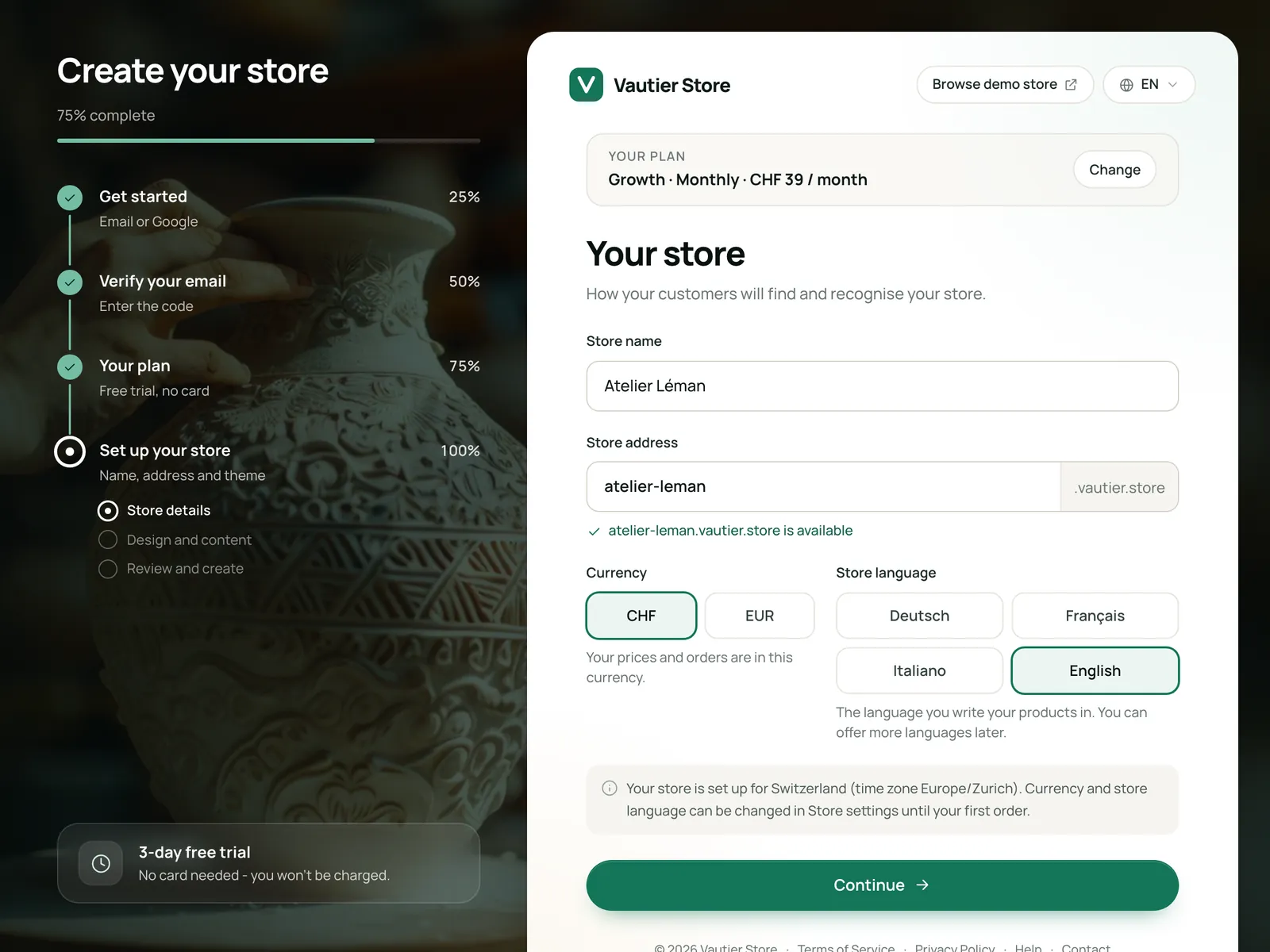
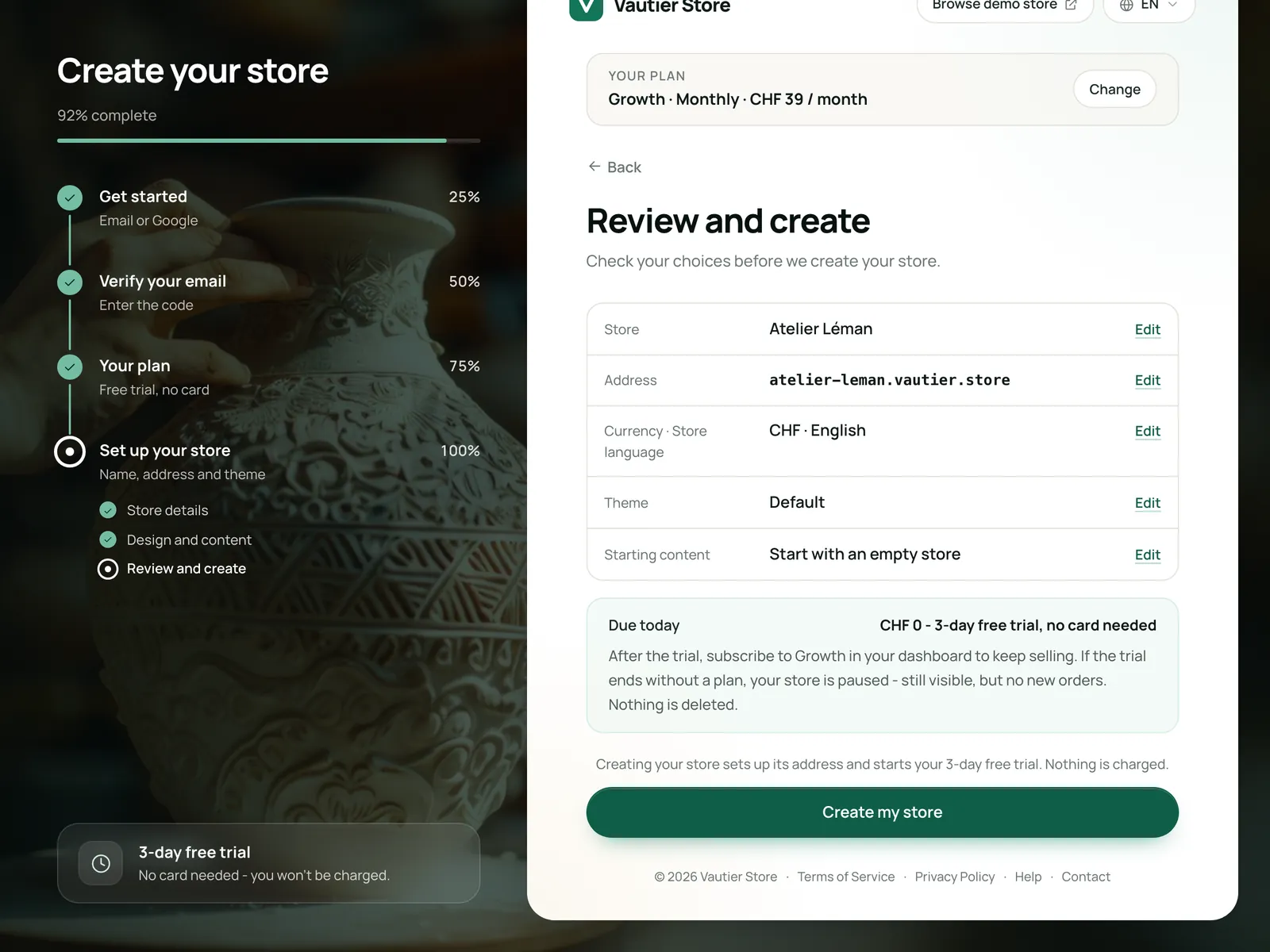
Real Vautier Store screens, shown with sample data.
Open your Swiss online store.
Everything you need to start selling, in one place.